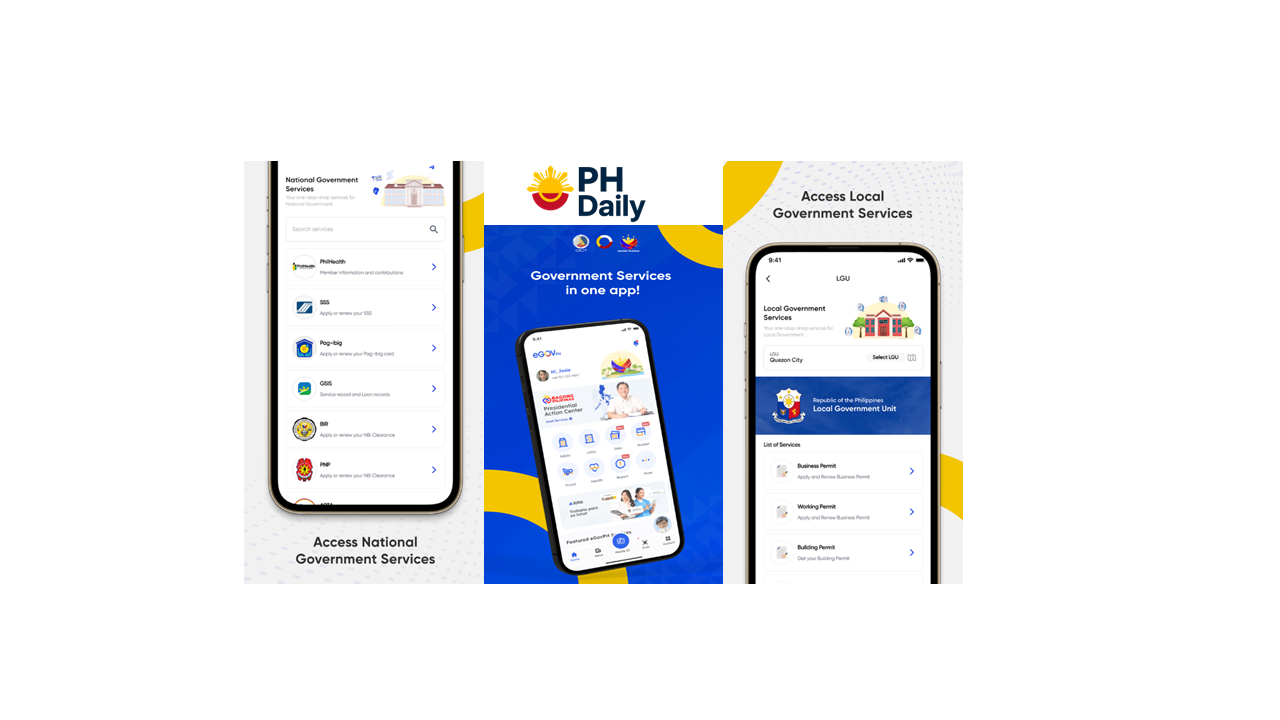
If you’re tired of juggling multiple government websites and long queues, the eGovPH App is here to make your life easier. Launched by the Department of Information and Communications Technology (DICT), the eGovPH App 2025 serves as your one-stop digital government service platform — combining agencies like SSS, Pag-IBIG, PhilHealth, LTO, and more into a single app.
In this article, we’ll walk you through how to download, register, and use the eGovPH App — including what services are currently available in 2025.
What Is the eGovPH App?
The eGovPH App is the official government mobile application that provides easy, secure, and centralized access to essential public services.
Instead of visiting different websites or offices, you can use eGovPH to manage your government records, pay contributions, renew licenses, and more — all in one app.
🔹 Developer: Department of Information and Communications Technology (DICT)
🔹 Available on: Google Play Store & Apple App Store
🔹 Updated for: 2025 with improved UI and faster logins
Key Features of eGovPH App (2025 Update)
Here are the top features of the latest version of eGovPH (as of 2025):
| Feature | Description |
|---|---|
| Unified Login | Access multiple agencies with one account. |
| Digital ID | Integrates your PhilSys National ID (ePhilID) for identity verification. |
| Government Services Hub | Connects to SSS, Pag-IBIG, PhilHealth, LTO, NBI, and PSA. |
| Payments | Pay government fees via GCash, Maya, or debit/credit card. |
| Document Requests | Request certificates (e.g. birth, NBI clearance) online. |
| Transaction History | View past payments, contributions, and applications. |
📲 How to Download and Register in the eGovPH App (2025 Guide)
Follow these steps to get started:
Step 1: Download the App
Go to Google Play Store or Apple App Store, then search for “eGovPH App”.
Tap Download and wait for installation to finish.
Step 2: Open the App and Tap “Register”
Launch the app and choose “Register” to create an account.
Step 3: Provide Your Information
Enter your mobile number, email address, and full name exactly as shown on your government IDs.
Step 4: Verify Your Identity
You’ll receive a One-Time Password (OTP) via SMS or email. Enter the code to verify.
Step 5: Create Your Password
Set a strong password to secure your account.
Step 6: Link Your PhilSys (National ID)
If available, connect your PhilSys Number (PSN) or ePhilID for faster verification. This also enables access to digital services that require ID validation.
Step 7: Log In to Your Dashboard
Once registered, you can log in and access your eGovPH Dashboard, which displays quick links to various agencies.
🧾 How to Use the eGovPH App (Step-by-Step)
Here’s how you can navigate the app and use its main features:
1. Check or Pay SSS, Pag-IBIG, and PhilHealth
- Tap the “Services” section.
- Select the agency (e.g., SSS, Pag-IBIG, PhilHealth).
- Choose “Check Contributions” or “Pay Online”.
- Confirm the details and proceed with payment via GCash or Maya.
2. Renew LTO Driver’s License
- Tap “LTO Services.”
- Choose Driver’s License Renewal.
- Verify your details and upload a photo if needed.
- Pay online and wait for confirmation from LTO.
3. Request an NBI Clearance or PSA Certificate
- Go to Documents > Request Certificate.
- Choose NBI or PSA.
- Input required details and pay the corresponding fee.
4. Access Your Digital ID
- Tap “My eGov ID” to view your verified digital identification card.
- You can present this as valid ID in certain digital transactions.
💡 Benefits of Using the eGovPH App
- 🕒 Saves time — No need to visit multiple offices.
- 💻 All-in-one platform — SSS, PhilHealth, Pag-IBIG, LTO, NBI, PSA, and more.
- 🔒 Secure and official — Directly developed by the Philippine government.
- 💳 Integrated payments — Pay fees using your preferred e-wallet.
- 📱 Supports digital ID verification via ePhilID or PhilSys number.
Common Issues and Fixes
| Issue | Possible Fix |
|---|---|
| OTP not received | Check spam folder or try a different mobile number. |
| Login failed | Reset password through “Forgot Password.” |
| Slow loading | Use a stable internet connection and update the app. |
| Payment not reflected | Wait 24–48 hours or contact support through the in-app chat. |
Upcoming Features in 2025
DICT has announced that new integrations are coming this year, including:
- BIR eServices (TIN verification and eBIR Forms)
- DOLE Online Services
- Unified Travel Pass for domestic travel
- Expanded LGU e-services for business permits and clearances
💬 FAQs About eGovPH App (2025)
1. Is the eGovPH App free to use?
Yes, downloading and using the app is completely free. However, some government services may charge standard processing or payment fees.
2. Is the eGovPH App safe?
Yes. The app uses government-grade encryption and PhilSys-based identity verification to ensure secure transactions.
3. Can I use eGovPH even without a National ID?
Yes. You can still register using your mobile number and email, but linking your PhilSys ID gives you access to more services.
4. What agencies are currently connected to eGovPH?
As of 2025, you can access SSS, Pag-IBIG, PhilHealth, LTO, NBI, PSA, and DICT services directly from the app.
5. Can OFWs use the eGovPH App abroad?
Yes, as long as they have internet access and a Philippine-registered mobile number or email.
6. Who should I contact for app issues?
You can reach the eGovPH support team via the in-app chat, or email [email protected].
Final Thoughts
The eGovPH App 2025 is changing how Filipinos access government services — making it simpler, faster, and more connected than ever before.
Whether you’re paying contributions, renewing your license, or checking your records, this all-in-one app brings government transactions to your fingertips.
If you haven’t downloaded it yet, now’s the perfect time to register and experience the future of Philippine e-governance.
Leave a Reply